Personal connections
What is it?
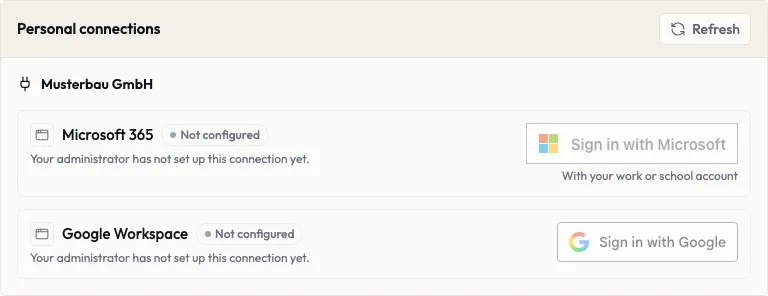
Section titled “What is it?”With a personal connection you sign in with your own account, such as Microsoft 365 or Google Workspace. Ankerkern can then access it on your behalf, for example your files. A connection is only available once your administration has set it up; until then it shows “Not configured”.
Who is it for?
Section titled “Who is it for?”For all users and editors.
Step by step
Section titled “Step by step”For User
Connect an account
Section titled “Connect an account”- Open Settings and go to Personal connections.
- For the connection you want, click Sign in with Microsoft or Sign in with Google. For Microsoft, use your work or school account.
- Sign in with the provider and confirm what Ankerkern may access.
- You return to Ankerkern. The connection now shows Connected and Connected since with the date.
If you cancel the sign-in with the provider, you can connect again in Ankerkern. Refresh loads the current state.
You can also connect directly in chat: under Add a source, group Systems, with Connect.
Disconnect an account
Section titled “Disconnect an account”- Open Settings and go to Personal connections.
- Click Disconnect for the connection.
Ankerkern then no longer accesses this account, and you cannot add new sources from it in chat. What you already added to chats stays there and in your library.
Limits and rules
Section titled “Limits and rules”- Only what you confirm: Ankerkern only receives the permissions your administration has enabled and that you confirm when signing in with the provider. They are listed with the connection under Enabled permissions.
- For you only: a personal connection uses your own account, and only you work with it.
- Private sources: a chat with sources from your personal connection, such as your emails or files, cannot be shared.
- Access renews itself: an existing connection shows until when access is valid; it is renewed automatically.
Frequently asked questions
Section titled “Frequently asked questions”The connection shows “Not configured”. Your administration has not set up this connection yet. Only then can you connect your account.
What happens to content when I disconnect? What you already added to chats is kept. You can only add new content after connecting again.