Templates and prompts
What is it?
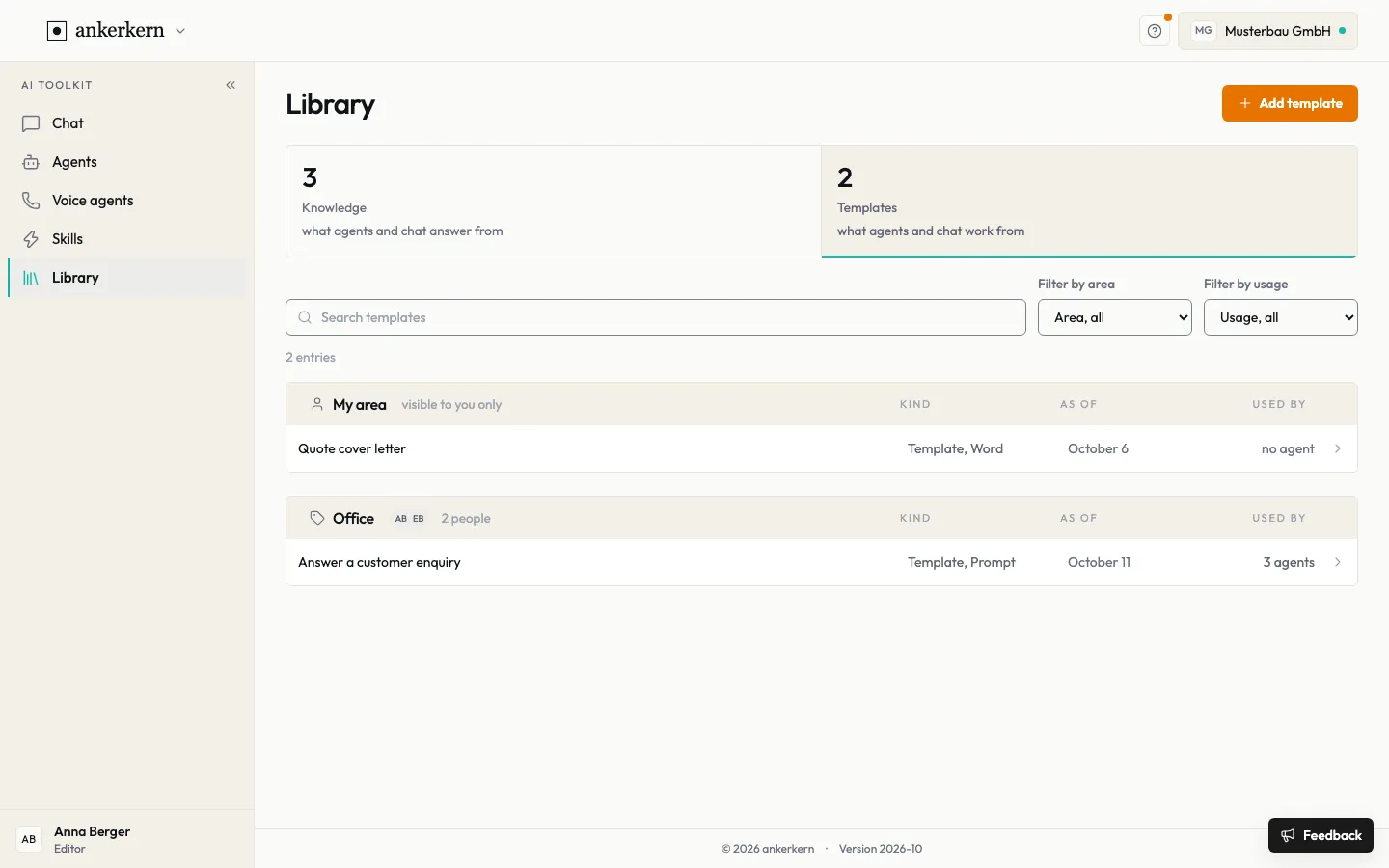
Section titled “What is it?”Prompts and document templates live in the library under Templates. A prompt is a saved instruction used by chat, skills or voice agents. Every change is saved as a new version; the “Used by” column shows how many agents use a template.
Who is it for?
Section titled “Who is it for?”Editors create and maintain templates. Users use them through skills and agents.
Step by step
Section titled “Step by step”For Editor
Create a template or a prompt
Section titled “Create a template or a prompt”- Open Library, choose the Templates tile and click Add template.
- Under What should the agent produce?, choose the Result: Prompt, Word, Excel or Email text.
- Enter a Name and describe under When does the agent use it? what the template is for.
- For a prompt, write the instruction in the Text field. For Word or Excel, upload your Template file; your layout stays unchanged.
- Set the Area and click Add template.
- Check the template with Test run and click Publish.
Agents and voice agents only find the template once it is published. It is used as soon as an agent or a skill is assigned it.
Compare and restore versions
Section titled “Compare and restore versions”- Open the template and choose History.
- Click an earlier version. A notice shows that you are not viewing the current version.
- Click Restore to put this version back in use, or Back to the current version to return.
You change a prompt’s text with Edit; every change is saved as a new version.
For User
You do not need to open templates yourself. They work in the background: a skill with a Linked template uses it on every run, an agent when it produces its result, such as a quote cover letter in Word.
In the library under Templates you see which templates exist in your areas. Filter by usage shows only templates an agent uses, or only unused ones.
Limits and rules
Section titled “Limits and rules”- Area: a template in My area is visible to you only. A template in a team is visible to all members of that team.
- Access: under Access, May read and May change decide who finds the template and who may change it. Whoever may change it may also read it.
- Publishing: as long as a template is not published, no agent uses it.
- Files: Word or Excel, for email text also an HTML file.
Frequently asked questions
Section titled “Frequently asked questions”Why does an agent not use my changed template yet? Check whether the new version is published. The Test run shows which version is in use.
Can I undo a change? Yes. Under History you bring back an earlier version with Restore.
What is the difference between knowledge and a template? Knowledge is what answers come from, such as a price list. A template is what the work is done with, such as an instruction or a letter form.
What does “3 agents” in the “Used by” column mean? Three agents work with this template. Keep that in mind before you change it.