5-minute tour
After this tour you are signed in, have asked your first question in chat and know where your company’s knowledge is kept.
1. Sign in
Section titled “1. Sign in”Your administration invites you by email. This is how you sign in for the first time:
- Open the invitation email and follow the link in it.
- Set your password.
- Sign in with your email address and the new password.
If your company has set up sign-in with your company account, sign in with that account instead. After signing in you see the Agents overview. If you work for several companies, you first choose the company. You open the chat on the left in the AI Toolkit.
2. Your first question in chat
Section titled “2. Your first question in chat”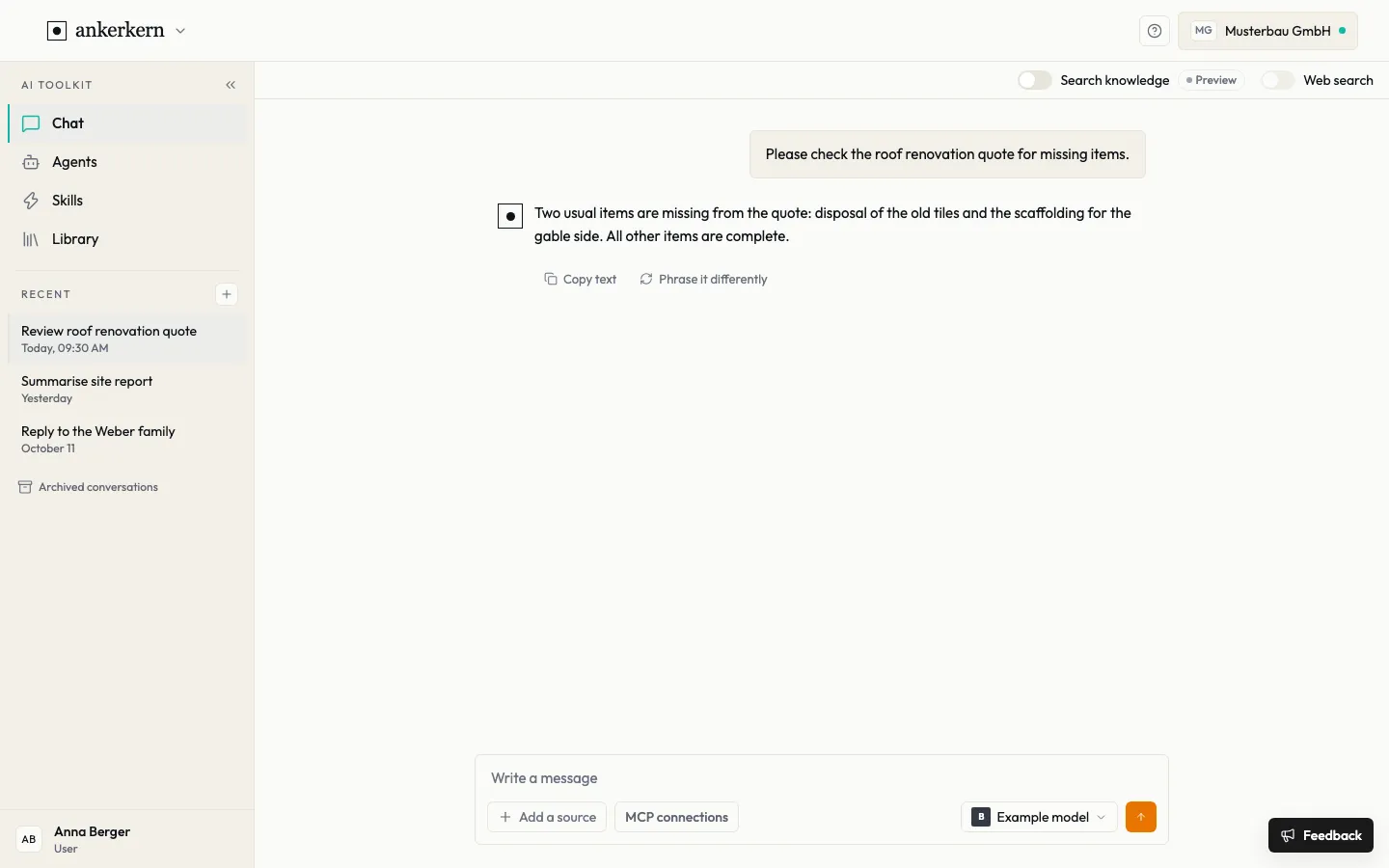
- Click + next to Recent. A new conversation starts.
- Check the model on the right of the input field. Use the button with the model name to choose a different one.
- Type your question in the field and send it with the arrow button next to it.
Ankerkern does not choose a model for you. In your first conversation you decide; after that your last used model is preselected and you can switch at any time.
3. Find knowledge in the library
Section titled “3. Find knowledge in the library”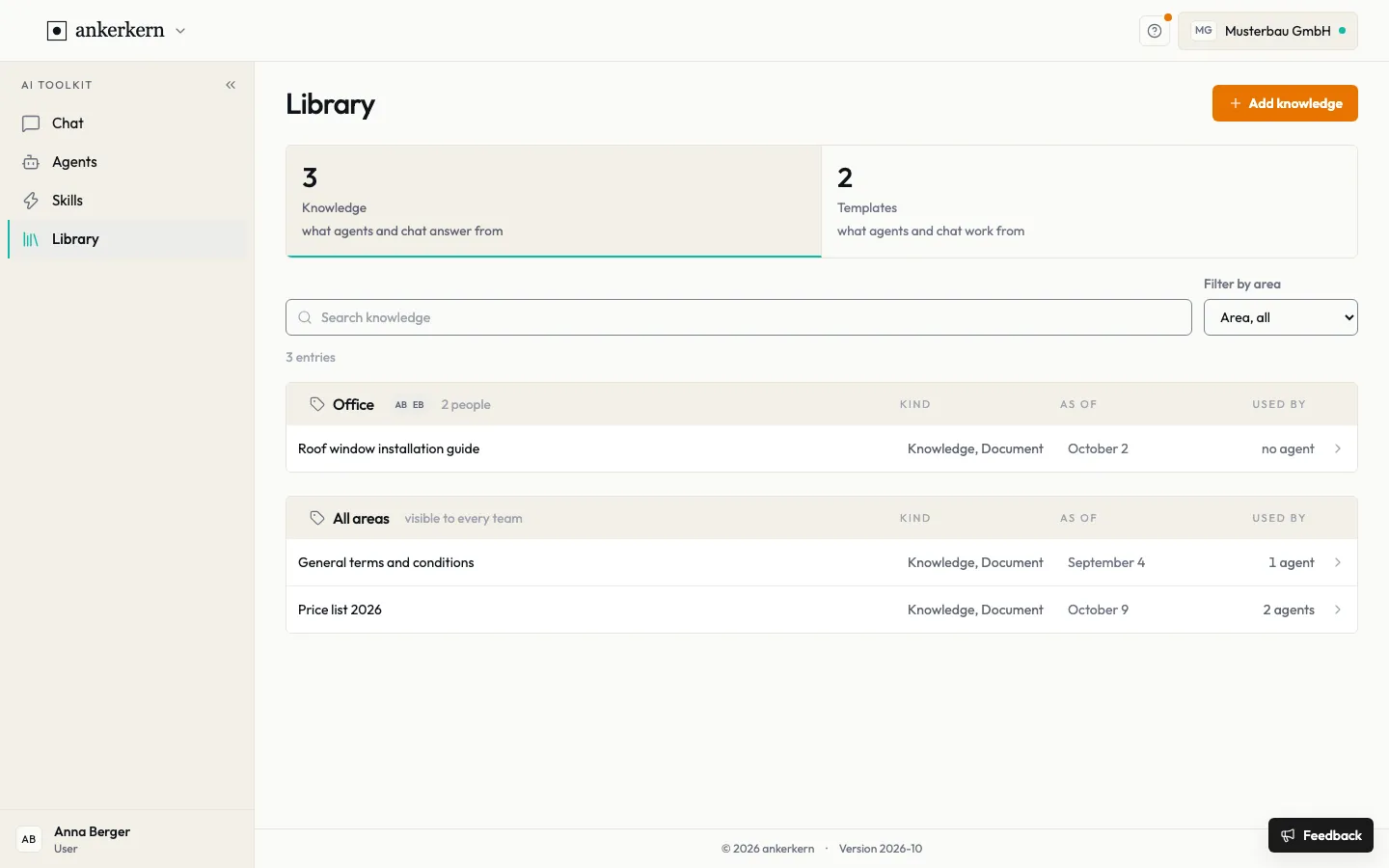
Under Knowledge, the Library holds your company’s documents, such as price lists or manuals, organised by area. In chat, choose What should I answer from? (in an ongoing conversation Add a source) and then From the library; the answer is then based on that entry.