Agents
What is it?
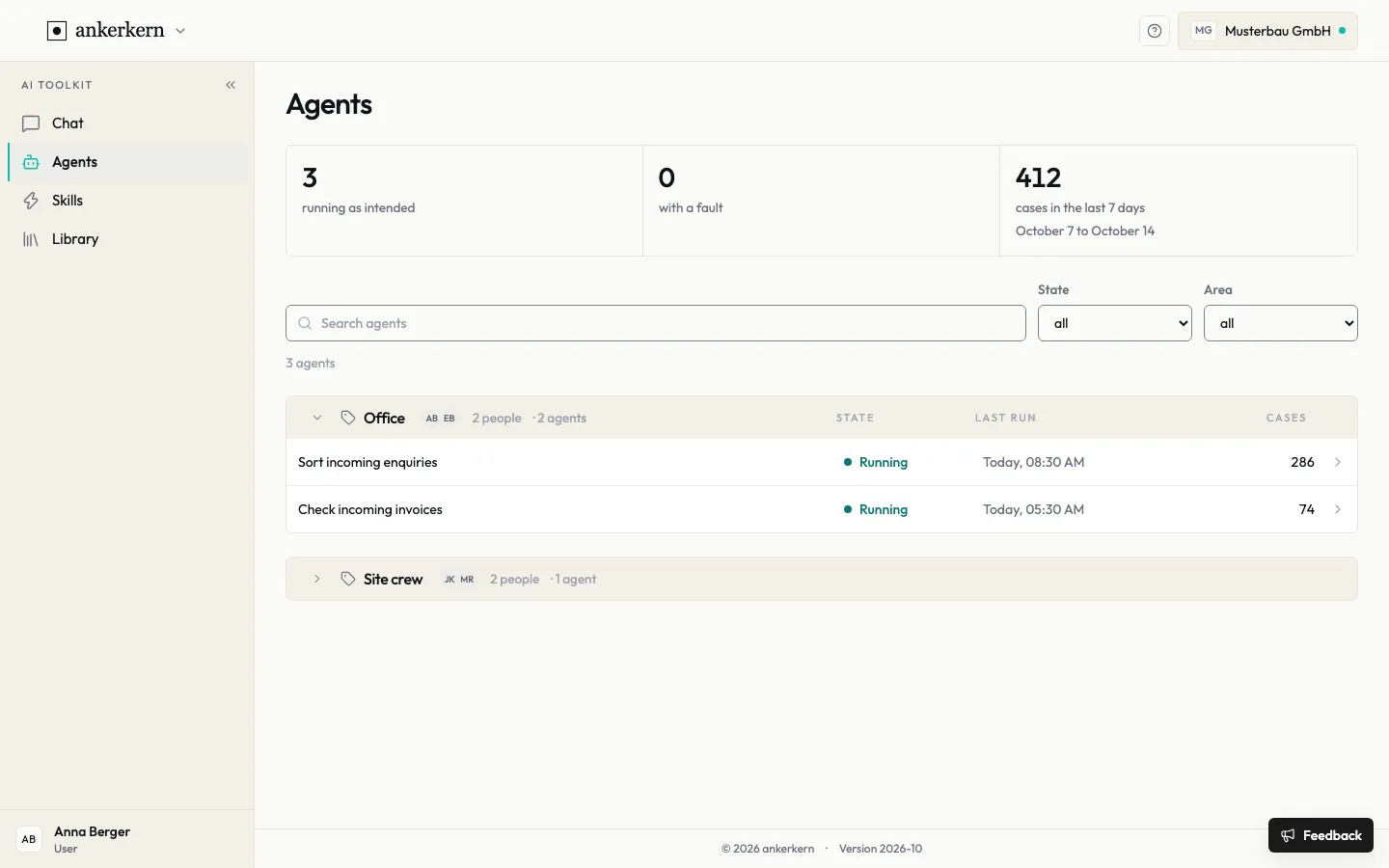
Section titled “What is it?”Agents handle recurring processes automatically, for example pre-sorting enquiries or checking invoices. The overview shows how many are running, whether one has a fault and how many cases were handled in the last seven days.
Who is it for?
Section titled “Who is it for?”You see the agents of the teams you belong to.
Step by step
Section titled “Step by step”For User
Check the state
Section titled “Check the state”- Open Agents on the left. At the top you see three key figures: how many agents are running as intended, how many are running with a fault and the cases in the last 7 days.
- Agents are grouped by team. Click a team to expand or collapse its agents.
- For each agent, read the State, Last run and Cases columns. The state is Running, Fault or Offline.
- Click a row to open the agent and see its recent runs.
Search and filter
Section titled “Search and filter”- Enter a name in Search agents.
- Use State to show, for example, only agents with a fault.
- Use Area to limit the list to one team.
Below the search field you see how many agents match your search and filters.
For Editor
Assign agents to a team
Section titled “Assign agents to a team”The team decides who sees an agent. As an editor you assign agents to teams:
- In the overview, select the agents you want to assign.
- In the bar at the bottom, click Add to team or Remove from team.
- Choose the team and confirm.
Agents that are not assigned to a team yet are listed in the No team group. New agents are set up by your administration.
Limits and rules
Section titled “Limits and rules”If the with a fault figure is above zero, open the affected agent and look at its recent runs. This shows since when the fault exists and which cases are affected. Your administration can fix the fault; pass on the agent’s name and the time of its last run.
The number of cases always refers to the last seven days; the period is shown below the figure.
Frequently asked questions
Section titled “Frequently asked questions”Why can’t I see an agent? You only see agents of the teams you belong to. Also check whether a filter is set.
What is a case? A case is one item the agent has handled, for example a pre-sorted enquiry.
Can I create an agent myself? New agents are set up by your administration. For your own recurring tasks, skills are the right tool.