Skills
What is it?
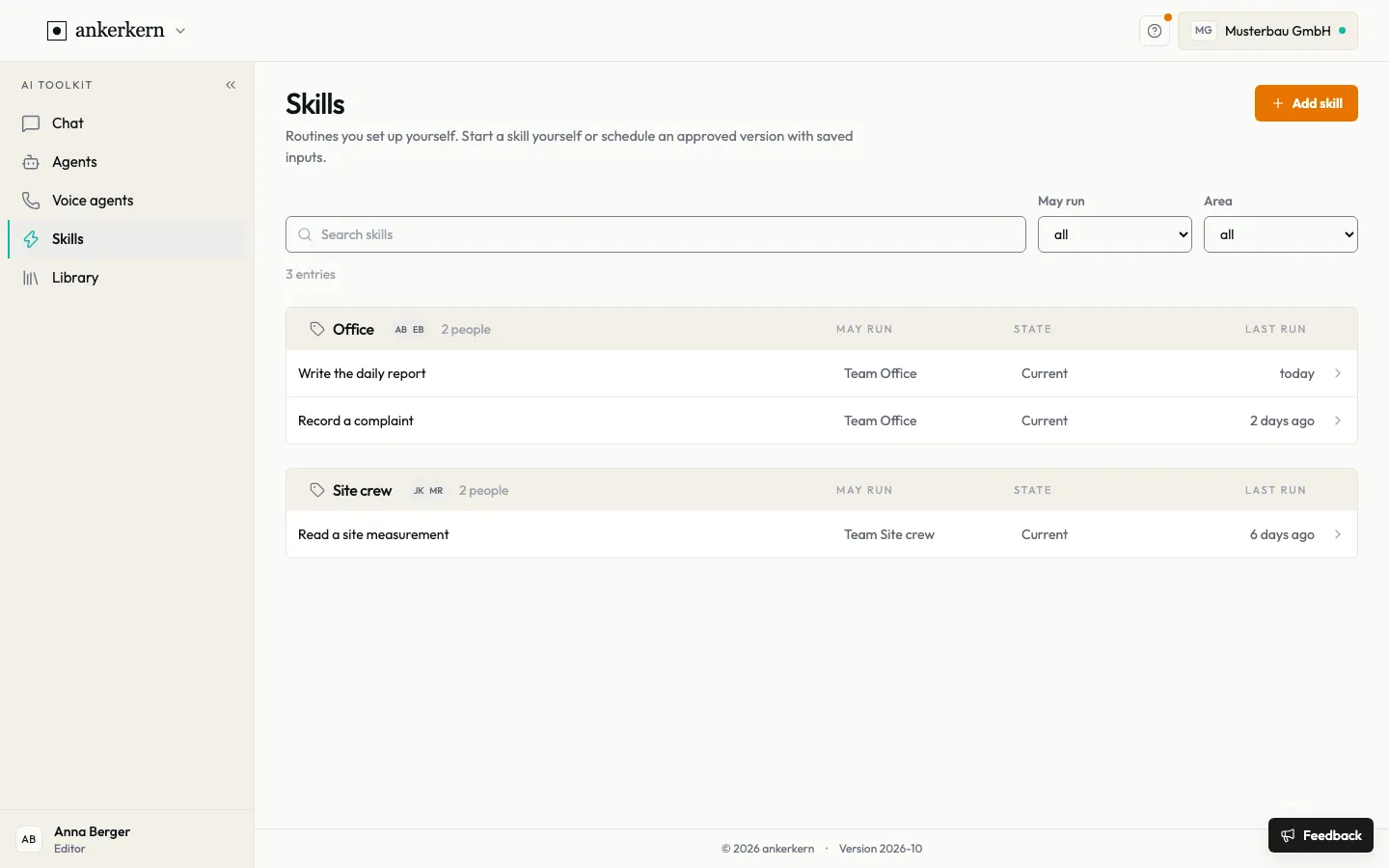
Section titled “What is it?”A skill is a routine you describe once and then start again and again, for example “Write the daily report”. The overview shows who may run a skill, its state and when it last ran.
Who is it for?
Section titled “Who is it for?”Users run skills that are shared with them. Editors set up skills and publish versions.
Step by step
Section titled “Step by step”For User
Run a skill
Section titled “Run a skill”In chat:
- On the chat start page, choose the skill under Run a skill.
- Fill in the required fields. Whatever is in the input field goes along.
- Click Run now. The result appears as the answer in a new chat.
In the overview:
- Open Skills on the left and click the skill you want. Search skills and the May run and Area filters help you find it.
- Fill in the fields under Assistant and click Run now.
- Your earlier results are listed under Runs.
For Editor
Set up a skill
Section titled “Set up a skill”- Click Add skill in the overview.
- Under Describe what it should do, explain the task in your own words, the way you would tell a colleague. If you prefer to fill in fields directly, choose Set up without the conversation.
- Under This is what I set up, check the name, description, instruction, model and Area, then click Add skill.
- In the skill, add Knowledge from the library, a Linked template and Form questions under Instruction as needed; mark mandatory fields as Required. Save with Save.
- Try the skill under Assistant with Run now.
- Click Publish. From this moment on the skill runs on this version, in the overview and in chat.
Decide who may run it
Section titled “Decide who may run it”- Open Access in the skill.
- Under Who sees it, use May run to decide who may start the skill: Only me, a team, the skill’s area or All areas. Whoever may run it sees it in chat; nobody else finds it.
- Area places the skill in the overview.
The administration and editors may always change a skill. Give it to a team and everyone there can run it, but not change it.
Limits and rules
Section titled “Limits and rules”- Only published versions run for others. A draft is listed under History as “draft, not published yet”; the version currently running is marked “in use”.
- A run only reads; nothing is written. A skill delivers a result but does not change data in other systems.
- Older versions are kept, so you can see why an earlier run looked different from today. A run already under way is not affected by a new publication.
- Inputs: a skill works with what you give it when you start it (text and fields) and with knowledge from the library. It does not open other systems, such as a mailbox, by itself.
- Archiving takes a skill out of the overview and the chat. Its runs and versions are kept.
Frequently asked questions
Section titled “Frequently asked questions”Why can’t I find a skill in chat? Only published skills that you may run appear in chat.
I cannot add a skill. The administration and editors set up skills. Ask them for a new skill, or run one that is shared with you.
Do agents use my skill? No. You start skills yourself; what an agent should be able to do is part of its own flow.
Where do I see earlier results? In the skill under Runs.